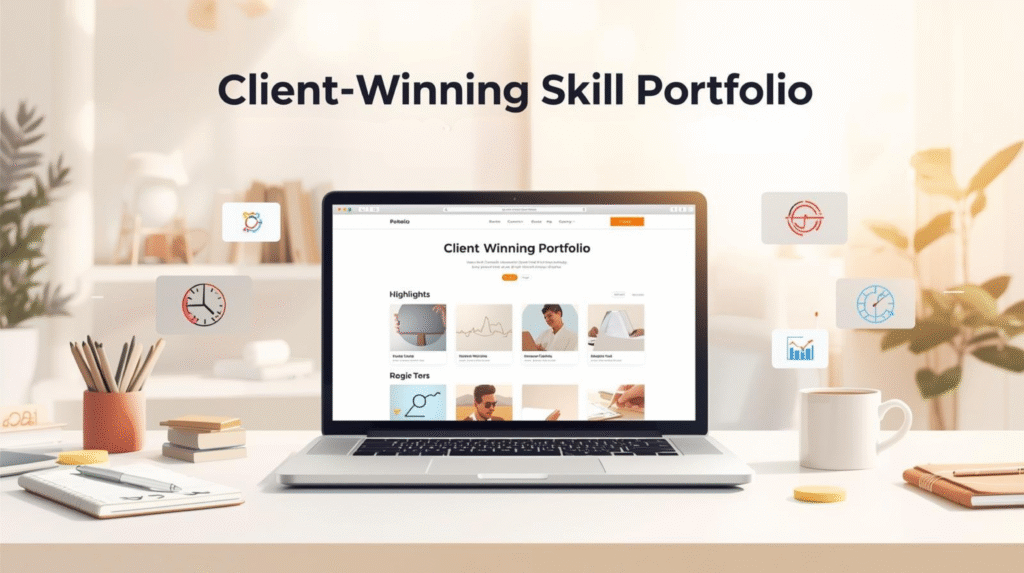

One of the smartest decisions you can make today is to build a career based on your skills, whether that be in design, writing, development, or marketing. But here’s the thing: no matter how gifted you are, people just won’t believe it until they see it. That’s where your skill portfolio becomes your strongest weapon.
I had no experience at all when I first started freelancing, and I had no past to showcase to prospective clients. I recall opening Fiverr and Upwork day in and day out, asking myself how people with those fancy-looking portfolios got the projects. Reality hit fast: Your portfolio is not just a folder with your work inside; it is your first impression. It show clients who you are, what you can do, and why they should trust you.
In this guide, we will walk step by step through the process of building a skill portfolio that not only showcases your talent but actually wins clients-even if you’re a complete beginner.
- Step 1: Understand what a skill portfolio really is
- Step 2: Choose a Niche and key Skills
- Step 3: Create Portfolio Projects-even without clients
- Step 4: Determine Where to create Your Portfolio
- Step 5: Create Engaging Project Descriptions
- Step 6: Use Visuals That Tell a Story
- Step 7: feature Testimonials and Results
- Step 8: Keep Your Portfolio Updated
- Step 9: Tools to Make Your Portfolio Perfect
- Step 10: Make Your Portfolio Client-Focused
- Step 11: append a Strong About and Contact section.
- Step 12: Share Your Portfolio
- Step 13: promote Your Potential
- FAQ
- Conclusion
Step 1: Understand what a skill portfolio really is
More than the mere collection of images and links, a portfolio is a story of growth, creativity, and problem-solving ability both visually and as a writer.
Think of this as your professional identity on the internet. If you are a graphic designer, a web developer, a content writer, or a marketer, the portfolio should answer one question for every client:
“Can this person deliver the results I need?”
Build your portfolio, but rather than just uploading samples, show the process, results, and how those samples were improved.
Step 2: Choose a Niche and key Skills
One big mistake beginners make is trying to show everything. When your portfolio feels too broad, clients can’t tell what you specialize in.
Before building, define:
- Your main niche, for example, web design, writing, SEO, marketing.
- 2–3 core skills that make you unique.
You may focus on article writing, SEO optimization, and brand storytelling if you are a content writer. This clarity helps clients instantly understand your expertise and make your portfolio more professional.
Step 3: Create Portfolio Projects-even without clients
“But what if I have no clients yet?”
That’s the question I asked myself, too—and the answer is simple: create your own projects.
With no client work to attend to, I made mock projects. For instance, I designed a website for a fictitious travel site and even wrote its content, including blog posts and visuals. That project alone helped me land my first paid client.
You can:
- Design mock websites or logos.
- Write blog articles or product descriptions for imaginary brands.
- Build demo apps, landing pages, or digital ads.
The purpose is to show what you can do, not just who you’ve worked with.
Pro Tip: Always present your mock projects like real client work – with goals, process, and final outcome.
Step 4: Determine Where to create Your Portfolio
There’s more than one way to build your portfolio, depending on your skills and budget.
Given below are three easy and beginner-friendly options:
1.Personal Website
This is the best suggestion in the long run. A portfolio website gives you complete control, looks professional, and increases your online presence.
Things i recommend you can use:
- WordPress : is more easy to use and recommended for beginner.
- Wix or Squarespace: These are just Drag-and-drop website builders, easy to set up.
- Notion or Carrd : for a minimum, modern one-page portfolio
2.Portfolio for Freelance Platforms
If you’re using Fiverr, Upwork, or Freelancer, set up and upload your best 3-5 projects there. Write Proper short descriptions focused on client results, not just design or looks.
3.Free Platforms
Use free platforms like Behance, Dribbble,GitHub. They’re great for visibility and building credibility.
Step 5: Create Engaging Project Descriptions
A great design or sample is only half the story. Clients also want to understand your process.
Every project in your portfolio should contain the following:
- Project Overview: What was the goal or problem?
- Your Role: What exactly did you do?
- Tools Utilized: Mention software or technology you used.
- Result/Outcome : What did your work achieve?
Explain real outcomes, even if it’s a mock project: for example, “Improved website engagement by 30% through better UX design”.
Turn your portfolio into proof of value, not just proof of work.
Step 6: Use Visuals That Tell a Story
People remember visuals, not text. Make sure that your portfolio isn’t Messy; make it clean and clear for the viewer.
When designing visuals:
- Use before and after comparisons to show enhancement.
- Add porper screenshots, mockups, or links to demos.
- Must Use consistent colors, typography and layout.
If you are not a designer, explore resources like Canva, Figma, or Visme easily create professional visuals.
Step 7: feature Testimonials and Results
Social proof builds instant trust. If you’ve worked with even one client, whether paid or unpaid, ask for a testimonial.
In your portfolio, include 2-3 short client reviews with their name and project type. If you don’t have review yet, add quotes from mock users or project outcomes such as “Generated 1,000+ visits for a new blog in 30 days”.
This shows clients you’re focused on results, not just tasks.
Step 8: Keep Your Portfolio Updated
Your first version won’t be perfect — and its fine. The key is consistency.
Update your portfolio every few months with:
- New projects or samples.
- Improved visuals.
- Better descriptions or results.
I personally review my portfolio every 3 months. Even small updates make a big difference in how clients perceive you.
Step 9: Tools to Make Your Portfolio Perfect
Below are some best tools that can use you in building a professional portfolio fast.
- Canva / Figma : For mockups and presentation design.
- Notion / Carrd : For creating lightweight portfolios quickly.
- WordPress + Elementor: For full websites.
- Google Drive / Dropbox :To share additional documents or samples.
- Grammarly / QuillBot : For fine-tuning your descriptions.
Step 10: Make Your Portfolio Client-Focused
Remember — your portfolio isn’t about showing them that you can do everything, it’s about showing how you can help them.
Clients are always on the searching for problem solvers.
So, when explaining projects, use phrases such as:
- “Helped client achieve…
- “Increased conversions by…”
- “Simplified design for better user experience.”
These phrases convey worth and make you appear solution-focused.
Step 11: append a Strong About and Contact section.
One of the most dominated web pages is the “About” section. That’s where you must add a little personal touch. Write it down like you’re having a conversation.
Hello, I am [your name ], a professional [your profession] who loves assisting brands in their development through creative digital solutions.
Keep it friendly, confident, and short.
also, make sure to include :
- A professional photo or logo.
- Contact button or email.
- Links to your social profiles: LinkedIn, Fiverr, and Upwork
This will aid the client in finding you with ease without necessarily searching for details.
Step 12: Share Your Portfolio
Once your portfolio is ready, don’t just wait for clients to find it; share it everywhere:
- Posts on LinkedIn
- Freelance groups
- Personal website/blog
- Upwork and Fiverr Details
Step 13: promote Your Potential
A great portfolio evolves with your skills: it’s time to learn new tools, techniques, and trends within your industry.
It doesn’t take a lot of money to acquire skill-based courses on websites like Coursera, Udemy, or Skillshare.
The more new skills you have, the more reasons the client can find in hiring you.
FAQ
Conclusion
Building a perfect portfolio that wins you clients is not actually about luck; it’s about clearness, work, and storytelling.
Start with small, remain consistent, and always try to share your progress.
The first portfolio that I ever created wasn’t perfect, but it was real,it was me. It showed who I was, what, and that is my expertise I was ready to learn. That’s exactly what clients want: honesty, passion, and proof of effort you made like your journey. Take the first step. Create your skill portfolio, show off your work and start converting your talent into opportunity.